
Bring recurring CSV exports into Cust from an Amazon S3 bucket. Each sync reads a selected folder and turns its rows into companies, contacts, custom objects, metrics, or product events.
Cust assumes an IAM role you create with read access to the selected bucket and root folder. Preview the source, match record identifiers, and choose a refresh schedule in the data sync editor.
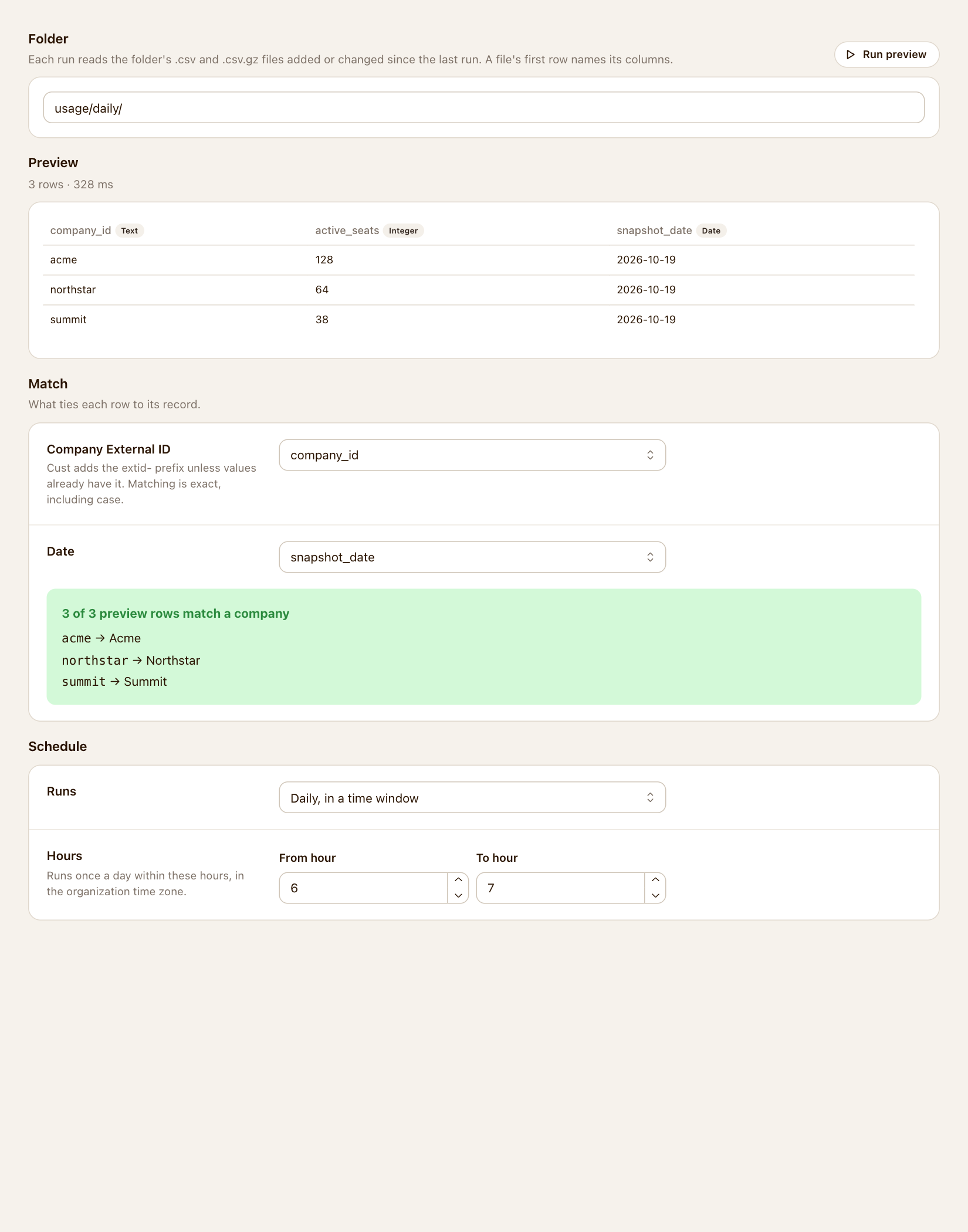
Read UTF-8 .csv and .csv.gz files under a selected folder, including its subfolders. Use a header row with unique column names.
Choose a destination, match stable identifiers, and select the fields or metrics to bring into Cust. Preview sample rows before importing.
Scheduled runs read new or changed files and skip unchanged versions already processed. Removing a source file does not delete imported records.
Open Settings → Integrations → Amazon S3. Enter the bucket and optional root folder, then use the generated policy to create a read-only IAM role.
Create a sync, select the destination and folder, and run a preview. Match customer or event identifiers and select the data to import.
Choose a schedule, enable the sync, and run it. Check the status, row count, and destination records to confirm the import.